
WiFi that actually works — even at the back of the house.
Ubiquiti UniFi enterprise-grade networking. Structured Cat6 cabling. Hardwired access points. PoE for the cameras and AV equipment your smart home actually depends on. The foundation that makes lighting, audio, security, and automation run reliably for the next decade — not the layer that breaks every other Tuesday.
Most home networks are consumer hardware fighting a professional problem.
An ISP-provided combo modem-router from 2018. A $400 mesh kit added when the WiFi started dropping in the back bedroom. A range extender plugged into an outlet in the hall. The "smart" parts of the home running on top of all of it, dropping connection at random, blamed for problems the network is actually causing.
Consumer / Mesh approach
ISP combo modem-router covering a 3,000+ square foot home it wasn't designed for. Mesh nodes talking to each other over wireless backhaul, cutting effective bandwidth in half at every hop. Cloud-dependent management. Limited PoE. The network rebooted weekly because that's what fixes it.
Smart home equipment fighting for airtime with phones, laptops, streaming TVs, gaming consoles, and the doorbell. WiFi as the only network. No real coverage planning — just nodes thrown around the house and hoped for. Single-vendor app, single-vendor lock-in, single-vendor mercy.
The network you keep buying. Never the one you actually have.
Professional / UniFi approach
Ubiquiti UniFi Dream Machine handling routing, firewall, controller, and switching. Hardwired access points with Cat6 backhaul — actual bandwidth, not wireless-relayed half-bandwidth. PoE switching that powers cameras, access points, and IP devices over single Cat6 runs.
Smart home equipment hardwired wherever it sits — TVs, streamers, hubs, NVRs — leaving the WiFi reserved for devices that actually move. Outdoor coverage planned with weatherproof access points. Local management, no required cloud subscription. Monitored, documented, designed to run for ten years.
Built once. Stays built.
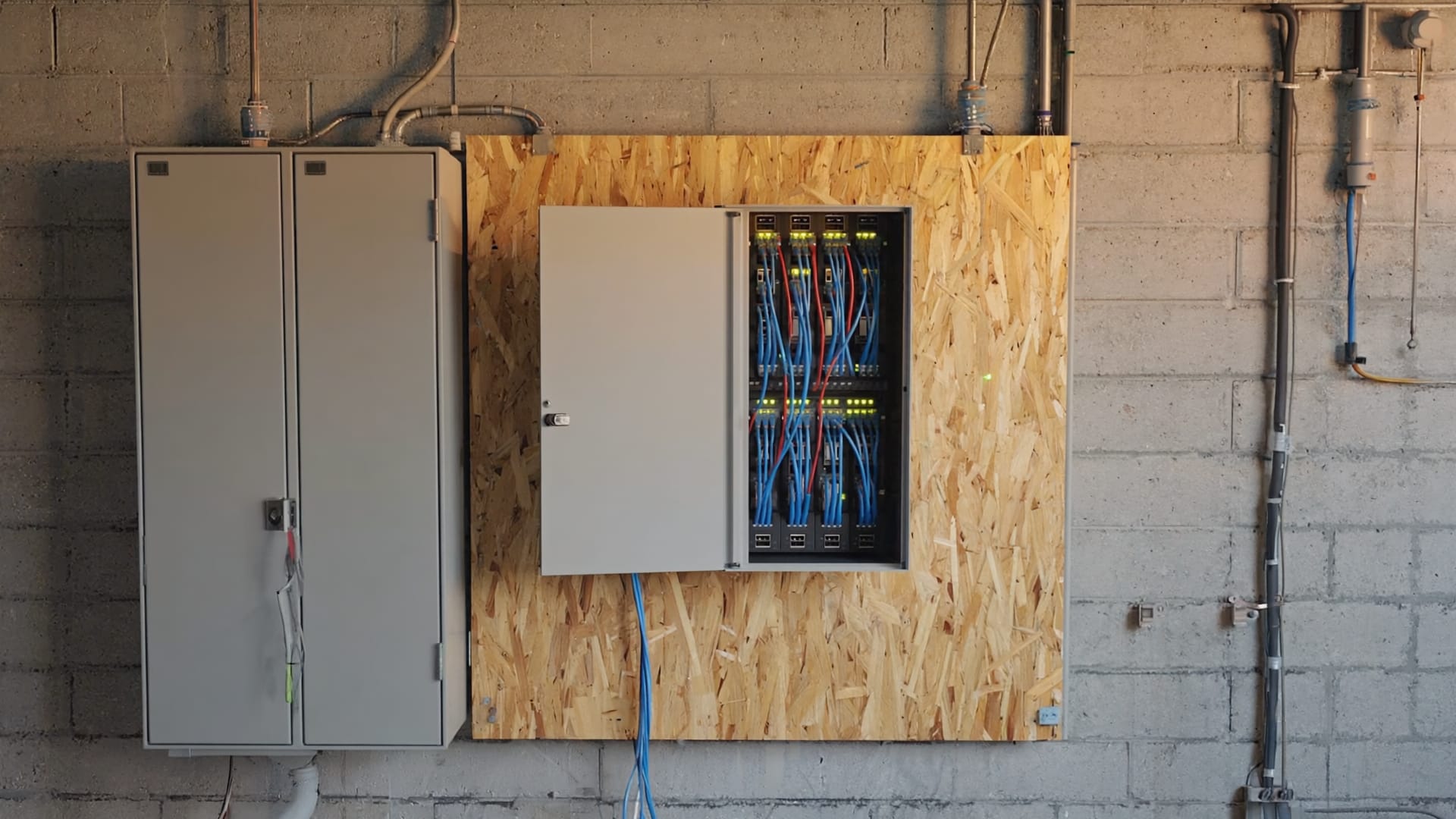
What gets installed.
Every UniFi install we do is built around the same four layers — sized to the home, but architected the same way. Each layer does one job and does it well, and they're designed by the same vendor to integrate cleanly without finger-pointing when something needs troubleshooting.
The heart of the network. Router, firewall, controller, and switch in one unit. Local management — the controller runs on the device itself, no cloud dependency. Visualization, traffic monitoring, threat detection, VLAN segmentation, and VPN access all built in. UDM Pro for typical residential, UDM Pro Max for larger homes or heavier traffic.
PoE switching that powers access points, cameras, and IP devices over single Cat6 runs — no separate power adapters at every drop, no junction boxes mid-wall, no clutter. UniFi Switch Pro models for the network rack, smaller switches for in-room equipment closets. Managed centrally through the same controller as the rest of the network.
WiFi 6, 6E, and 7 access points designed for hardwired backhaul (not the wireless-relay backhaul mesh systems use). Indoor models for ceiling and wall mounting, outdoor models for deck and yard coverage. Sized to the home, placed where the coverage actually needs to go, managed centrally.
The wired backbone every other layer depends on. Cat6 (or Cat6A for premium installs) runs to TVs, smart home hubs, access points, cameras, network closets, and exterior coverage points. Pre-wire during construction is the right time. Retrofit through accessible spaces is the right approach for existing homes. Either way, the wires now make every addition later trivial.
Plus integrations with: UniFi Protect for cameras and NVR storage · UniFi Access for door access control · VLAN segmentation for guest networks, IoT, and security separation · WireGuard VPN for remote access · and full integration with the smart home, audio, security, and automation layers we install.
WiFi is for things that move. Everything else should be hardwired.
This is the difference between a network that runs reliably and a network you reboot every week. The fewer devices fighting for WiFi airtime, the better the WiFi works. The more fixed devices on Cat6, the better everything works.
- Every device fights for the same WiFi airtime
- TVs, streamers, cameras, and smart hubs compete with phones and laptops
- Mesh nodes' wireless backhaul cuts effective bandwidth in half
- Outdoor coverage is sketchy or nonexistent
- Single point of failure — if WiFi drops, the whole home drops
- Hard to troubleshoot, hard to expand
- Performance degrades as more devices get added
Fine for an apartment. Wrong for a home with a smart home.
- TVs, streamers, NVRs, smart hubs all hardwired with Cat6
- WiFi reserved for devices that actually move (phones, tablets, laptops)
- Cat6 backhaul to access points — real bandwidth, not half-bandwidth
- PoE powers cameras, APs, and IP devices over the same cable
- Outdoor coverage planned with weatherproof hardwired APs
- Devices don't compete; the WiFi works because it's not also handling everything else
- Adds new devices cleanly — capacity scales with switching, not WiFi
How professional networking is actually designed to work.
Almost every smart home failure traces back to the network.
Lutron keypads dropping commands. Sonos speakers losing sync between rooms. Josh.ai missing voice commands. Cameras going offline at random times. Smart locks failing to confirm status. Streaming services buffering despite paying for fast internet.
These look like smart home problems. They're network problems. The smart home equipment is doing its job correctly; the network underneath isn't carrying the traffic reliably.
This is why we recommend doing the networking layer first — or at least at the same time as anything else. Lutron lighting needs a stable network to push scenes and updates. Sonos and Sonance audio need reliable WiFi or hardwired Ethernet to stream synchronously across zones. Josh.ai voice control needs the network to reach Lutron and Sonos. Cameras need PoE and stable bandwidth to record reliably. Build the network right, and every other system runs reliably for a decade. Skip it, and every other system feels broken — even when each individual piece is doing exactly what it's supposed to.
The network is the foundation. The rest of the home is the building. If the foundation isn't level, nothing built on top of it is going to be either.
What gets installed in a typical home.
Every install is sized to the home, but the components are consistent. Here's what a complete residential network looks like.
Network Rack & Closet
Centralized location for the UniFi Dream Machine, switches, modem, and patch panel. Usually a basement utility room, garage closet, or dedicated network closet in newer construction. Cooling and accessibility planned during design.
Hardwired Access Points
UniFi access points placed for actual coverage — typically one per 1,500 square feet, adjusted for wall density and outdoor needs. Cat6 backhaul from each AP to the network rack. PoE-powered, no power outlets required at the mounting locations.
Cat6 Drops Throughout
Wired runs to TV locations, smart home hubs, NVRs, gaming setups, work-from-home offices, and key smart home equipment. Pre-wire during construction or retrofit through accessible spaces. The backbone everything else hangs off of.
PoE for Cameras & Devices
PoE switching means cameras, access points, IP phones, doorbells, and many smart home devices run on a single Cat6 cable that carries both data and power. No separate power adapters, no outlets at every camera location, no junction boxes mid-wall.
Outdoor & Detached Coverage
Weatherproof outdoor APs for decks, patios, yards, and pool areas. Wired drops to detached garages, workshops, and pool houses. Planned during the network design rather than added as a frustrated afterthought once the homeowner realizes the indoor network doesn't reach.
New Construction Pre-Wire
Cat6 to every room during framing, network closet location selected before drywall, AP locations marked and pulled, conduit between key points for future expansion. The right time to do all of it. The cheapest time to do all of it. The result lasts decades.
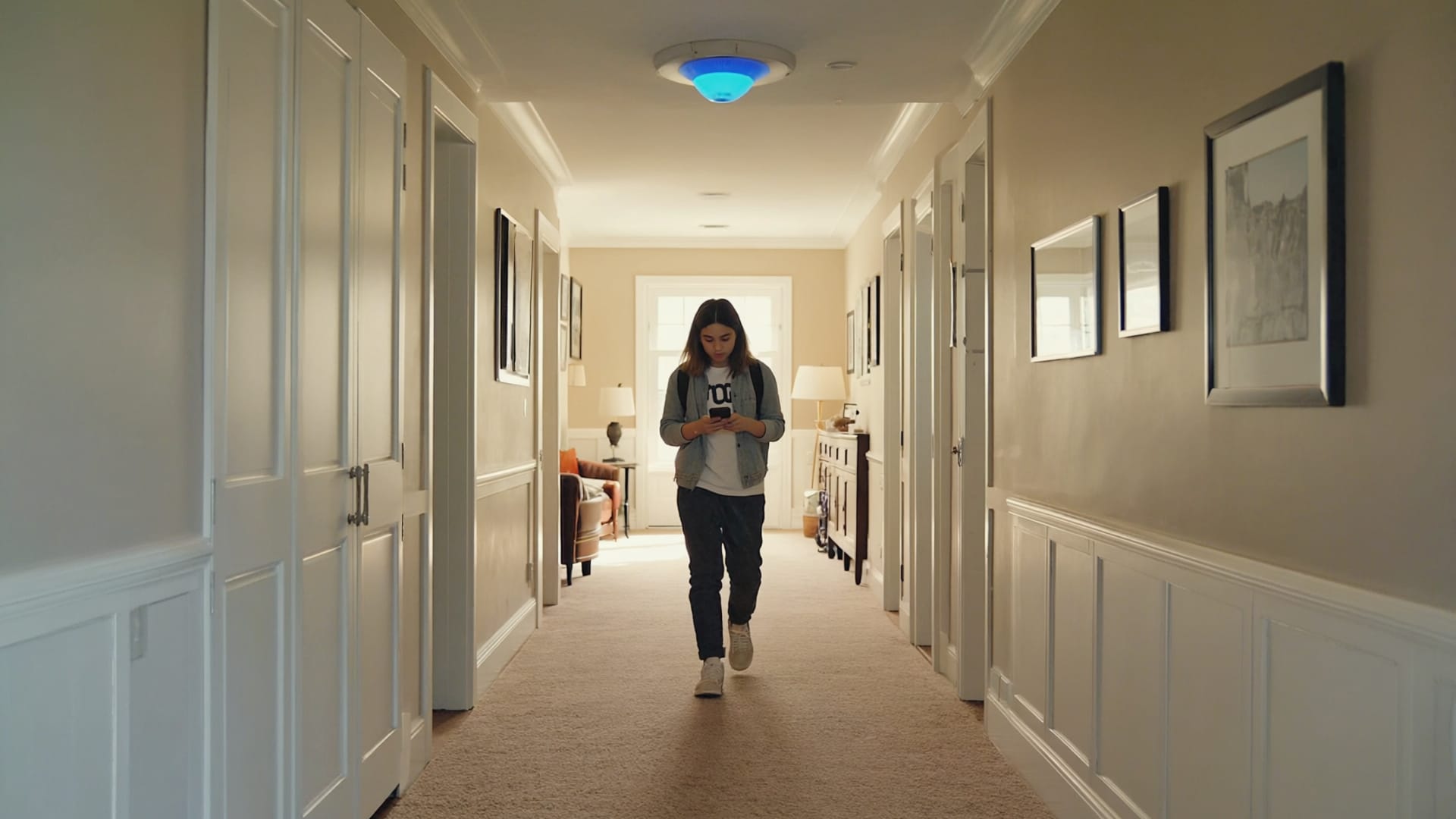
From walkthrough to handoff.
Walkthrough & Coverage Assessment
We walk the home, measure WiFi performance in each room, identify dead zones, count fixed devices that should be hardwired, and look at where the existing network rack (if any) lives. We also ask about the things you actually want to do — work from home, security cameras, smart home, outdoor entertaining — because those drive the design.
Network Design
UniFi equipment selection (UDM tier, switch capacity, access point models and count), Cat6 drop locations, AP placement, network closet plan, VLAN structure, and outdoor coverage. Documented before any wire is pulled. You see exactly what's getting installed and why.
Wire & Install
Cat6 runs pulled through accessible spaces (or pre-wired during framing for new construction), network rack assembled, PoE switching configured, access points mounted and aimed, ISP equipment integrated. The infrastructure that determines whether the network runs reliably for the next decade.
Configuration & Optimization
SSIDs configured, VLANs set up (typical: main, guest, IoT, security cameras), QoS rules for streaming and smart home traffic, access point channels and power optimized, threat detection and traffic monitoring enabled. Tuned for your actual home, not a default template.
Walkthrough & Handoff
We walk through the system with you — how the controller dashboard works, how to access guest WiFi credentials, what the VLANs mean, what to do if something seems off. Documentation included. The system runs without you needing to manage it, but you understand what's there.
Common questions about home networking.
Ready for a network that actually works?
Book a walkthrough. We'll measure the existing coverage, identify the dead zones, look at what your smart home actually needs, and design a network sized for the home you live in — not the apartment the consumer router was designed for.